HubSpot
Send every lead your agent qualifies into HubSpot — with its stage, its topic and the whole conversation on the contact's timeline.
Last updated October 16, 2026
On this page
What it does
Your agent already qualifies customers on WhatsApp, Instagram, Telegram and email. This connection carries that work into HubSpot, so the people who close deals see it without opening a second tool.
- Every qualified lead becomes a contact. Name, phone, and — when we know it — email.
- The stage and the topic travel with it. Whatever your workspace calls them: HOT/WARM/COLD, or your own labels.
- The conversation lands on the timeline. Including the agent's own reason for the stage, and a link straight back to the thread in Waslo.
- Reassign in HubSpot, and Waslo follows. Change the contact's owner and the conversation moves to that person's queue, with a notification in their language. The HubSpot owner must be matched to a Waslo teammate (same person in both tools) for the reassignment to land.
- Close the deal and the chasing stops. When a deal reaches a closed stage, scheduled follow-ups for that customer are cancelled.
What it does not do
Replying still happens in Waslo. Answering a WhatsApp message from inside the HubSpot inbox is a separate capability that we will add once HubSpot's custom-channel API leaves beta.
Before you start
- You need to be an owner or admin in Waslo.
- CRM sync is included on both plans, with no unlock to buy.
- Any HubSpot plan works, including the free CRM.
Connect it
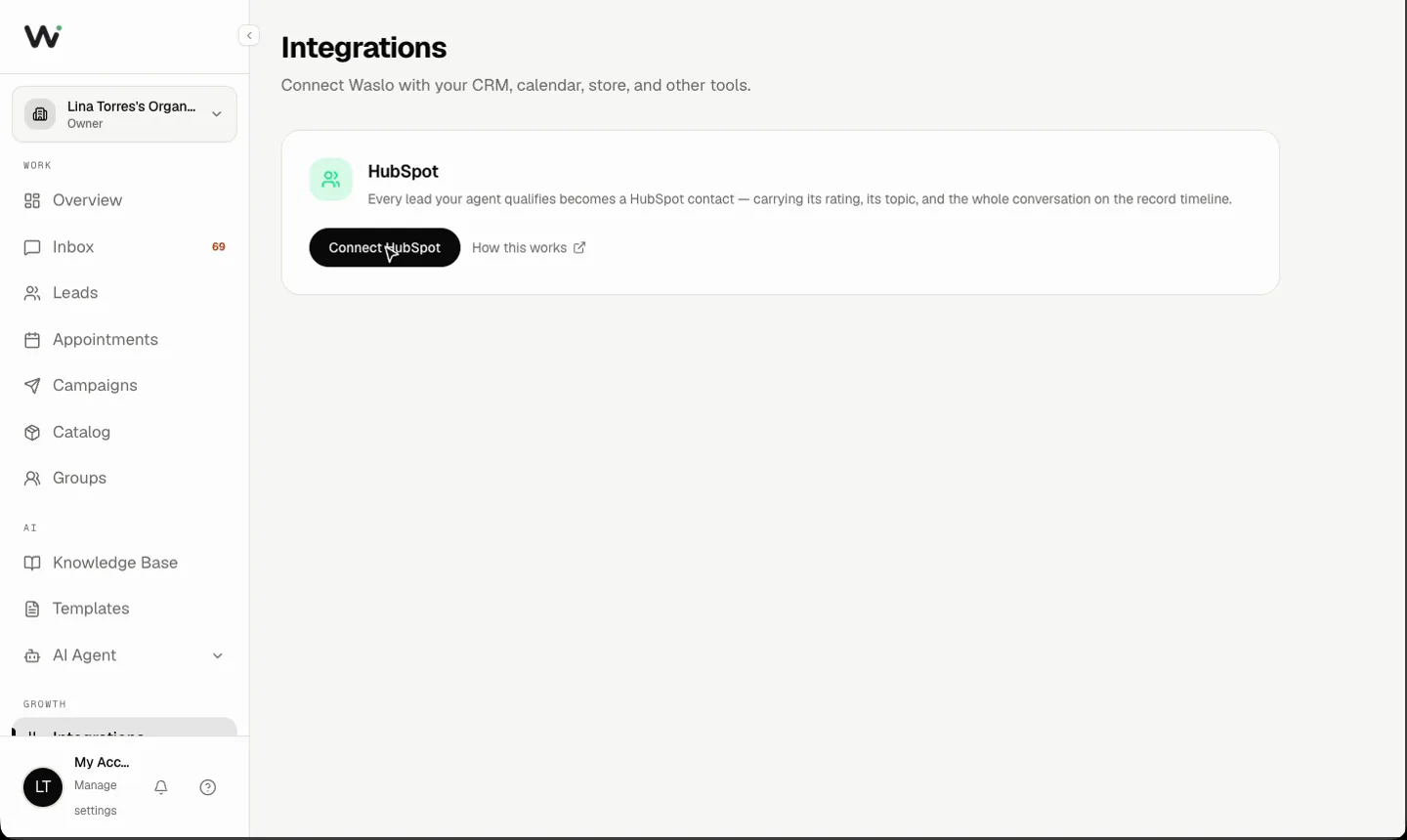
- Open Integrations → HubSpot in your Waslo dashboard.
- Click Connect HubSpot. You will land on HubSpot's own consent screen.
- Pick the HubSpot account you want, review the permissions, and approve.
- You come straight back to Waslo. That is the whole setup.
The first time you connect, Waslo creates four properties on your contacts — lead ID, classification, topic and channel. Four is deliberate: a free HubSpot account allows ten custom properties per object in total, and it is your schema, not ours.
Will it duplicate my contacts?
No. Before creating anything, Waslo looks for the person by phone and then by email. If they are already in your CRM — added by a form, an import or a rep — we update that record instead of creating a second one, and mark it so we recognise it instantly next time.
What we can and cannot see
We ask for the narrowest set of permissions that makes the features above work: read and write contacts, create those four contact properties, read your list of owners (to match a HubSpot user to a Waslo teammate), read deals (to know when one closes), and write timeline events.
We do not read your emails, your notes, your other objects, or anyone else's deals. And the AI agent answers from your knowledge base and catalog — HubSpot records are never sent to the model.
Disconnecting
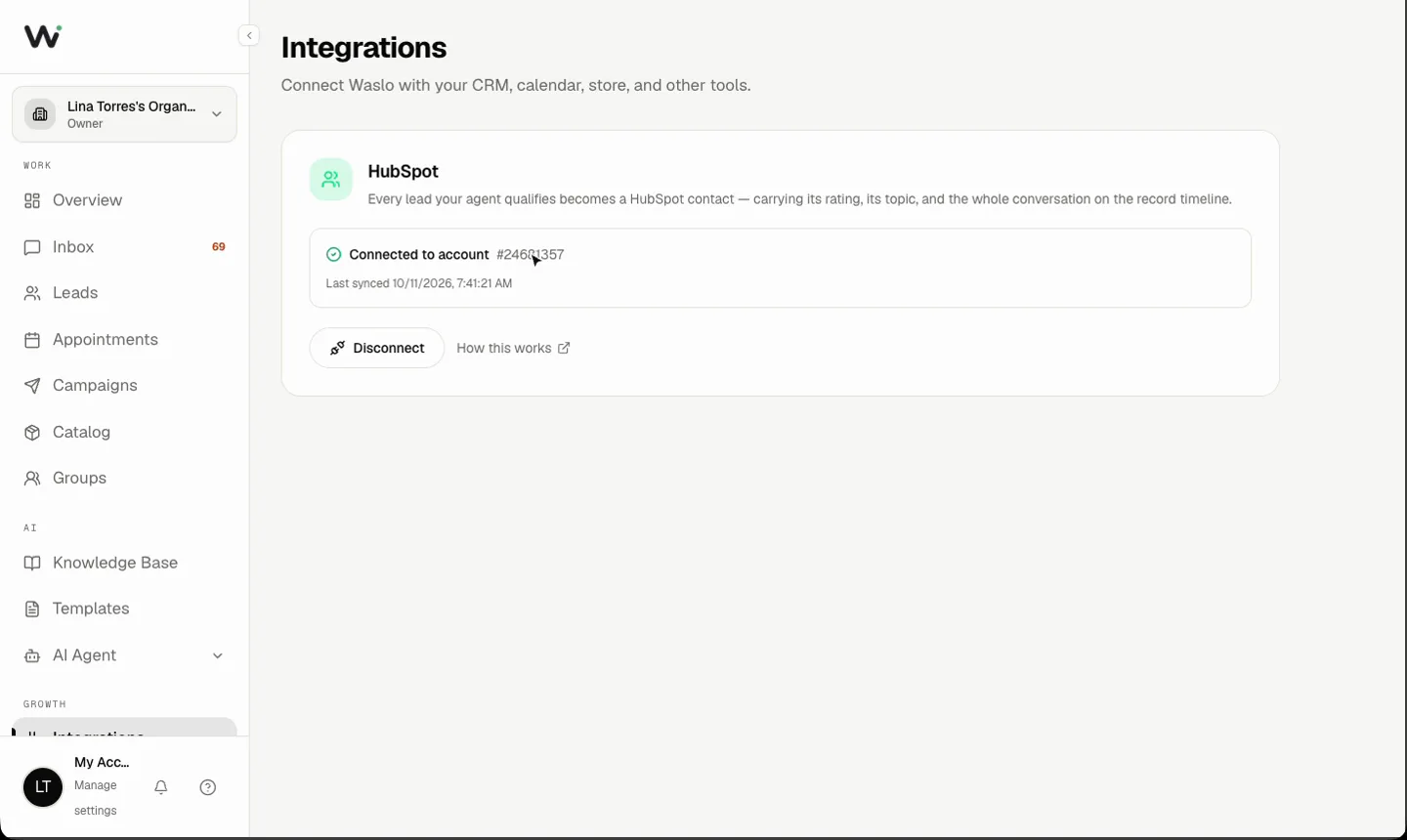
Integrations → HubSpot → Disconnect. Contacts already in HubSpot stay exactly where they are; Waslo simply stops updating them. Uninstalling the app from inside HubSpot works too — Waslo notices on its next sync and stops.